For sailing schools, clubs and fleet teams
Know who’s afloat. Know who needs a look.
Give the team ashore one view of the fleet: where the boats are, who is aboard, how long they have been out and when each tracker last reported.
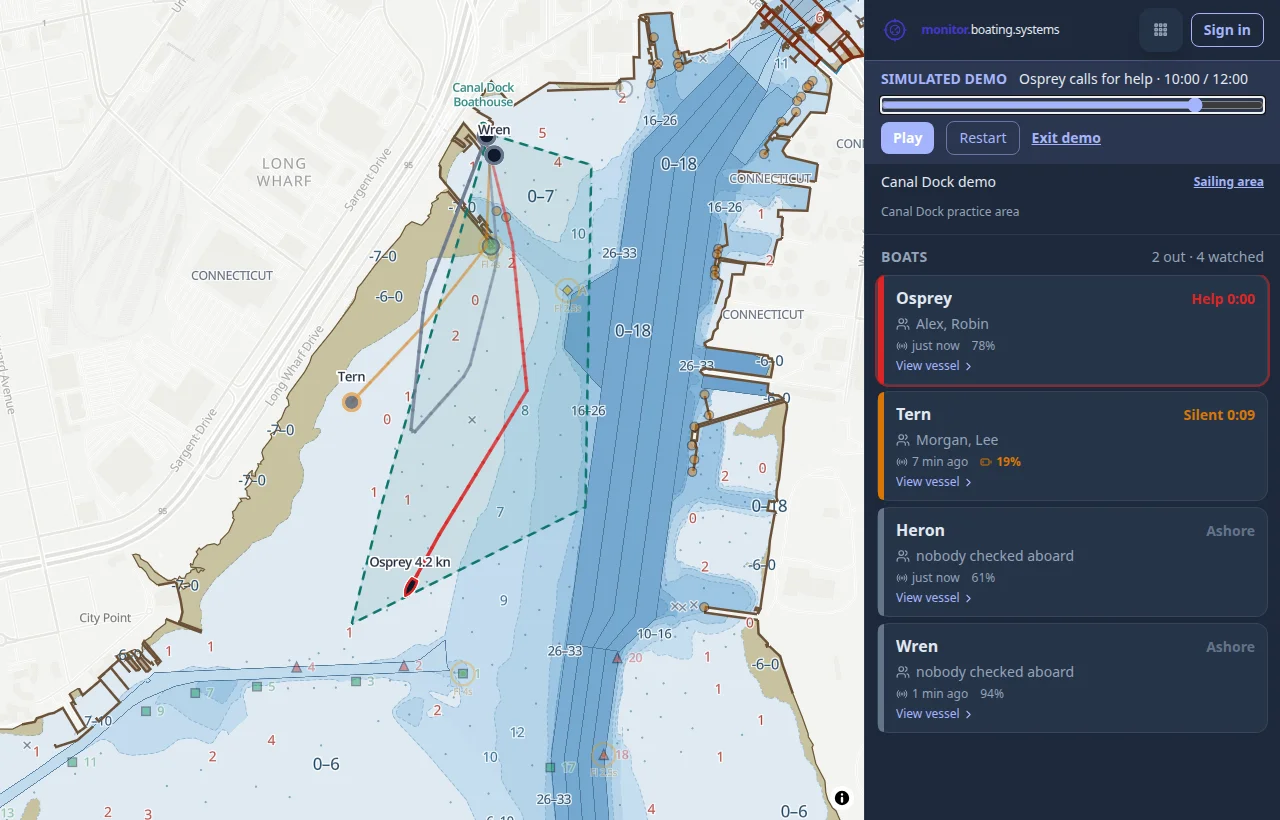
See the whole watch
Boat positions, trails, time out and crew appear together. Select a boat for its last fix and tracker health.
Notice a quiet tracker
The board brings boats needing attention to the top and shows when each was last heard. An old position stays visibly old.
Work with your fleet
Authorized staff can switch to their organization’s boats, filter groups and view advisory sailing areas for each group.
How it works
A recorder in each boat
A Boat Recorder phone stays aboard and reports where the boat is while it is out.
Crew board with the boat’s code
Each boat carries a sticker with its boarding code. The crew scan it as they go out, so the board shows who is aboard.
Watch from ashore
The board lists boats that need a look first: a call for help from aboard, or a boat under way whose tracker has gone quiet.
From the boathouse desk to the water.
An organization admin sets up boats and pairs their recorders. Staff with fleet access sign in to the same watch. You can also watch your own boats without creating an organization.
Monitor supports the people keeping watch. It relies on reporting devices and connectivity; it does not automatically detect a capsize or replace a lookout.
Sign in with your boating.systems account. Your fleet is visible only with the appropriate access.